Google Classroom: A Free Learning Management System For eLearning
What Can Google Classroom Offer To The World Of eLearning?
Google is already a powerful design and development tool in eLearning thanks to Google Applications for Education. Now there is one more application to add to the line-up of invaluable productivity tools: Google Classroom. In this article, I’ll discuss what Google Classroom can bring to the world of eLearning and highlight some of the benefits that eLearning professional can expect to receive by using Google Classroom as a free LMS.
Google Classroom can be utilized by any eLearning professionals and online educators who have already created a Google Apps for Education account for free. In essence, Google Classroom is designed to give online facilitators, content creators and educators the ability to go paperless and centralize their eLearning materials in one cloud-based location.
Online facilitators and other eLearning professionals can create assignments within the application and distribute them to their learners online within a matter of seconds. The learners can then complete the assignments via Google Docs and submit them to their instructors with just the click of a mouse button. Online facilitators and learners can also save copies of documents that they create, then organize them in personalized Google Drive folders.
Google Classroom even features an assignments page, where students can view upcoming deadlines in order to stay on track. Likewise, online facilitators have the power to quickly and conveniently view who has completed each assignment and offer constructive feedback immediately. This allows students to get the support they need right away, so that they can modify learning behaviors and receive the correct information they need to successfully move forward with the eLearning course.
Here are just a few of the ways that Google Classroom can be used as a free learning management system:
- eLearning professionals can deliver documents to their students directly, as well as distribute files to other online collaborators, such as eLearning content creators.
- Online facilitators can share links to online resources, such as videos, articles and sites, which can serve as supplementary eLearning tools.
- Data can be collected from online learners, making it easy to receive learner feedback and personal information that can be used to improve the overall eLearning experience.
- Learners can provide feedback to their peers by commenting on assignments and working collaboratively on assignments. They can also work together or research tasks through the Google Classroom app.
Benefits of the Google Classroom as a Free LMS for eLearning
- Quick and convenient set up.
Rather than having to install an LMS locally or signing up for a learning management system provider, online facilitators can simply access the Google Classroom app and begin sharing assignments and eLearning materials. They can do this by adding students or sharing a unique code that allows access to the class. Google Classroom is simple and straightforward to use, making it ideal for eLearning professionals of all experience levels. - Time saving.
Virtual learners no longer have to download assignments and online facilitators can simply create and distribute documents to their learners online. They can also grade and provide feedback for all assignments and assessments using the Google Classroom app. As such, it has the potential to save a significant amount of time for both students and eLearning professionals. Everything is paperless, so there isn’t any time wasted on physically distributing the documents and learners can complete them right online, making it more convenient to meet deadlines and fit eLearning into their daily schedules. - Boosts collaboration and communication.
One of the most notable benefits of using Google Classroom as a free eLearning management system is that it allows for streamlined online collaboration. Online facilitators can send notifications to their learners to start up an online discussion or notify them of important eLearning events. On the other hand, learners have the opportunity to provide feedback to their peers by posting directly to the Google Classroom discussion stream. Thus, if they need help with an assignment or want to learn more about a particular subject, they can get immediate support from their virtual classmates. Essentially, Google Classroom boosts the social learning aspect of online education, enabling learners to benefit from the experience and skills of their peers. - Centralized data storage.
With Google Classroom, everything is in one centralized location. Learners can view all of their assignments in a specific folder, instructors can store their eLearning materials and activities for the school year on the cloud and all grades can be viewed within the app. There’s no need to worry about lost documents or missing assessments, because it’s all in this free LMS. - Rapid resource sharing.
Online facilitators and trainers have the power to share information and online resources with their learners instantly. Rather than having to update an eLearning course or sending individual emails to every student, they can simply access the Google Classroom app and distribute links to online resources and supplementary eLearning materials that can benefit their learners. This offers students the chance to get timely updates that pertain to the current lesson, so that they can better comprehend the subject matter and access multimedia tools that enhance their eLearning experience.
Now that you know how Google Classroom can be used as a free learning management system, you may decide to give it a try when creating your next eLearning course to reap the many rewards that this Google Apps for Education tool can offer.
Want to learn more about how Google Classroom can enrich your eLearning experiences? In the article, Google Classroom Review: Pros And Cons Of Using Google Classroom In eLearning, you will find 8 advantages and 8 disadvantages to help you decide whether Google Classroom is suitable for your eLearning courses.
Additional Use Cases And Microlearning With TalentLMS
In the physical world, tools have a limited, specialized use — with few exceptions, for things like the Swiss army knife and WD-40. In the computing world, however, software tools, especially when designed to be flexible, can and do serve many purposes. Kind of like your PC is a word processor, an accounting tool, a media player, a gaming machine, and many more things. Often, you get several functionalities even in the same piece of software.
Take TalentLMS, for example. Nominally it is a training platform, but its flexible design and extended feature set make it an excellent choice for other uses cases, from Employee Onboarding to Knowledge Retention and Commercial eLearning.
In the last article we examined exactly how TalentLMS can be used for each of the above uses cases, but that list was far from exhaustive. Here are a few more. Let us start with microlearning with TalentLMS.
Microlearning With TalentLMS
TalentLMS is an excellent choice when it comes to microlearning — learning on the go, or even offline, and digesting information in small chunks, a method that can be extremely effective, and that is increasingly popular for all kinds of training, from the enterprise to language learning.
To take advantage of microlearning with TalentLMS, you can download (for free) the TalentLMS apps for Android and iOS. Those are fully native applications, meaning faster, more battery efficient, and better at leveraging your smartphone’s capabilities, with a UI design that focuses on microlearning and mobile learning use cases (read: distraction-free environment, focusing on content).
TalentLMS for mobile offers a great connected mobile experience, but also full offline operation, so that learners can download their lessons and study on a flight or anywhere else there’s no mobile connection (or, more importantly, where data plans are crazy expensive, as is the case in many developing countries). In fact, the TalentLMS app will even sync their progress to the Cloud when they get back online.
TalentLMS For Extended Enterprise Training
Extended Enterprise, a term which nowadays applies to an increasing number of companies, refers to businesses whose success depends on a wider network of partners — be it franchisees, authorized dealers and resellers, support centers, various kinds of subsidies, etc.
An Extended Enterprise’s training needs extend beyond internal employees, to their partner network and associates. And while it’s common for such enterprises to just send training material (leaflets, operating manuals, sales guidelines, etc) to their partners and leave the training part up to them, an even more comprehensive strategy would be for the parent company to leverage eLearning technologies and setup a single, centrally managed, training program. This way they can ensure its quality and scope, have central control over the training schedule and content updates, and gain an oversight of the learner’s progress.
Apart from being a great training platform for enterprise use, TalentLMS has several features that make it perfect for Extended Enterprise training as well, starting with its very deployment model.
Being a Cloud-based LMS, TalentLMS has been built from the start to handle millions of users, and be a turn-key solution to every enterprise training need without the any installation. To start delivering your Extended Enterprise training you only need to open a new TalentLMS account, something that takes less than a minute (in fact, if you already have a TalentLMS account for your internal corporate training, you can just use that for Extended Enterprise training too). As for upgrades, backups, and general scalability and reliability — that’s for the TalentLMS Cloud operations team to handle.
That said, the most powerful feature of TalentLMS when it comes to Extended Enterprise training is its Branches feature, which allows you to build independent (but centrally managed) learning portals for each of your network partners, complete with their own branding, content, learners, configuration, etc. — and even their own time zone, so training events and times are adjusted for the partner’s country.
Blended Learning With TalentLMS
Blended learning, or Instructor-Led Training (ILT), is the practice of combining traditional, classroom-based training with online learning.
Depending on your business needs, the focus might be more on the classroom, in-person training (e.g. if you are a martial arts school or a driving instructor), or it might be more into the eLearning side of things (if you are like the average enterprise or educational institution).
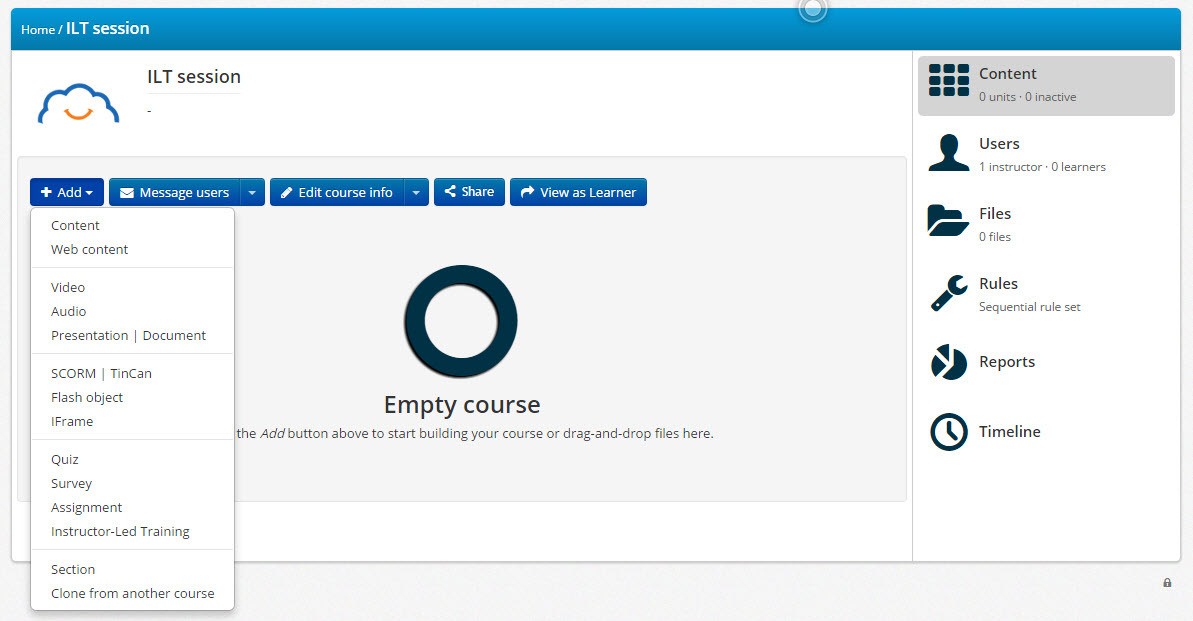
With blended learning you can have the best of both worlds, and TalentLMS comes with all the tools you’ll need for that. It also makes it seamless to combine and manage those two kinds of learning from your eLearning portal: An instructor just needs to create an Instructor-Led Training «Unit» (corresponding to a lesson), and add to it one or more «Sessions».